HousIQ logo
PreviewPricingBlogLog in

See how your household can get started in about 60 seconds.

See how HousIQ organizes people, rooms, recurring chores, and routines. Explore each step with examples before you create your household.

Start 14-day free trialExplore setup preview

Preview choices are examples and are not saved. Your own household begins when you create an account.

Four quick setup stepsPeople, rooms, recurring chores, and a clear start.

Choose the setup shape that matches the home.

Choose a starting point that feels familiar. Every room, routine, and assignment can be changed later.

Open demo
Adults only

Shared adult household

Start with shared rooms, recurring chores, and fair assignment without adding kids.

  • 2+ adults
  • Shared rooms
  • No kid setup required
Adults + kids

Family household

Add age-appropriate chores after the adults and rooms are ready, with parent review where it matters.

  • Parent controls
  • Kids view
  • Points optional
Rooms first

Room-by-room household

Begin with kitchens, bathrooms, laundry, bedrooms, and the chores that repeat in each space.

  • Rooms
  • Daily reset
  • Weekly review
Step 1

Who lives here?

Add the people in your home first, then choose which rooms and chores belong to each person.

  • Adults
  • Kids
  • Optional helpers
  • Availability
Step 2

What spaces matter?

Tap common rooms, choose each floor type, and start with useful chore suggestions instead of typing everything yourself.

  • Room buttons
  • Wood
  • Tile
  • Carpet
  • Mixed floors
Step 3

What repeats?

Choose daily, weekly, monthly, yearly, and simple checklist chores for the rooms you selected.

  • Daily
  • Weekly
  • Monthly
  • Yearly
  • Simple checklists
Step 4

Assign and start

Choose owners where it helps, leave shared chores open to everyone, and head to Today with ownership already clear.

  • Room owners
  • Shared chores
  • Kid chores
  • Today

Start with a few quick choices.

Pick the people, rooms, and chore types that fit. You can edit every suggestion later.

Try room setup

Member setup

Household owner, adult helper, child lane, grandparent/helper, invite by email

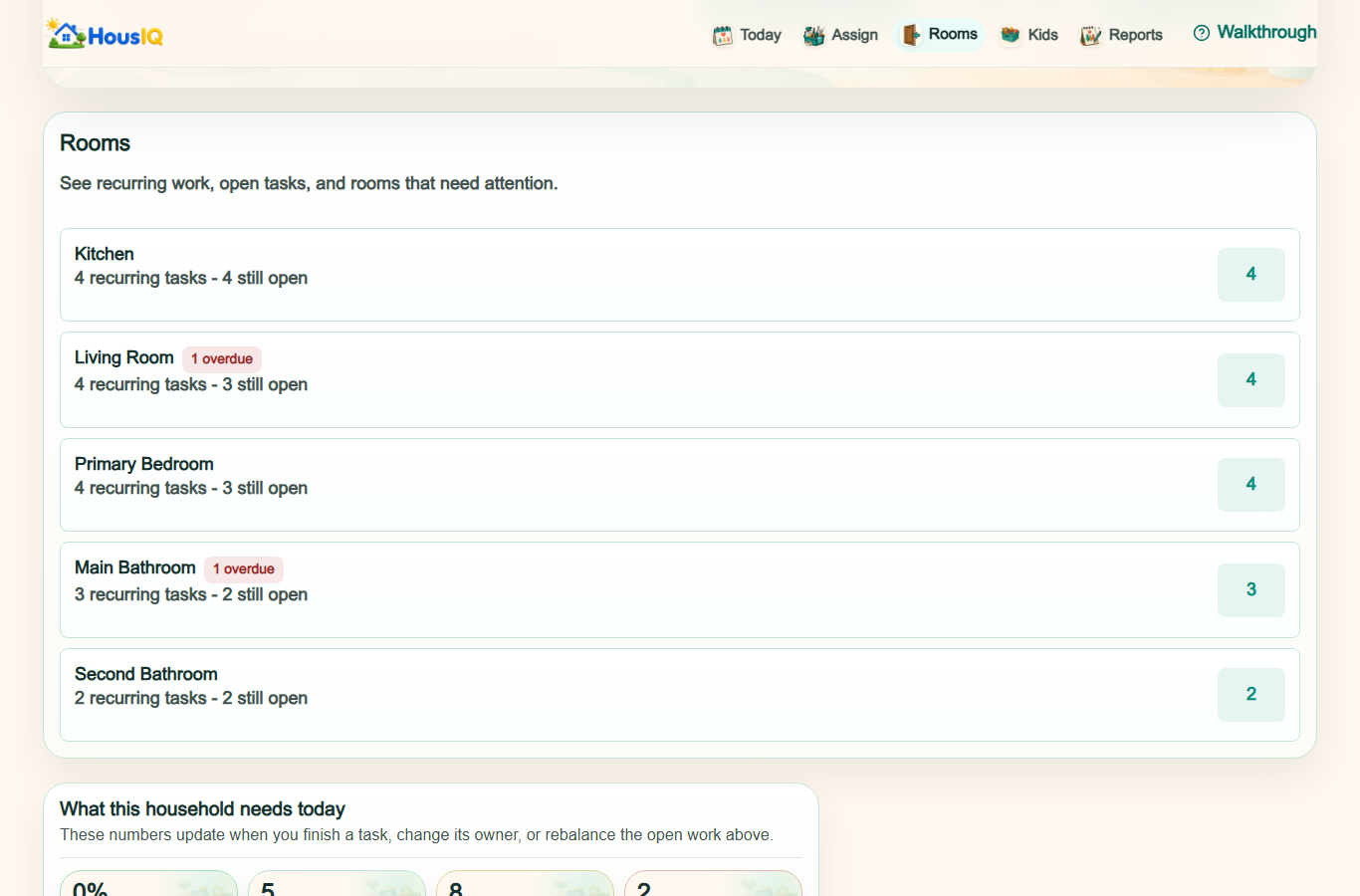
Room setup

Kitchen, bathroom, bedroom, living, dining, laundry, storage, outdoor

Floor setup

Mixed, wood, tile, vinyl, carpet

Work setup

Recurring chores, one-time chores, routines, and age-appropriate chores

Start each room with useful suggestions.

Choose the suggestions that fit and remove anything your household does not need.

Review suggested chores
Tile floors

Kitchen

14 suggestions: 3 daily, 6 weekly, 3 monthly, 2 yearly. 5 checklist steps.

  • Room quick reset
  • Empty room trash
  • Dust visible surfaces
  • Check room supplies
Tile floors

Main Bathroom

13 suggestions: 2 daily, 7 weekly, 2 monthly, 1 yearly. 5 checklist steps.

  • Room quick reset
  • Empty room trash
  • Dust visible surfaces
  • Check room supplies
Carpet floors

Primary Bedroom

12 suggestions: 3 daily, 5 weekly, 2 monthly, 1 yearly. 5 checklist steps.

  • Room quick reset
  • Empty room trash
  • Dust visible surfaces
  • Check room supplies
Mixed floors

Living Room

11 suggestions: 3 daily, 4 weekly, 3 monthly, 1 yearly. 5 checklist steps.

  • Room quick reset
  • Empty room trash
  • Dust visible surfaces
  • Check room supplies
Tile floors

Laundry Room

12 suggestions: 2 daily, 5 weekly, 3 monthly, 2 yearly. 5 checklist steps.

  • Room quick reset
  • Empty room trash
  • Dust visible surfaces
  • Check room supplies

See how the pieces work together.

Rooms organize chores, routines keep them moving, kids see age-appropriate work, Today shows ownership, and Reports help the household stay balanced.

Open guided demo
Rooms

Work gets a place

Room setup turns vague housework into kitchen, laundry, bathroom, and bedroom pressure.

Routines

Repeating work gets rhythm

Daily and weekly routines keep dishes, resets, trash, and laundry from becoming surprise work.

Kids

Kids see the right chores

Kids see simpler, age-appropriate chores while parents can still review progress.

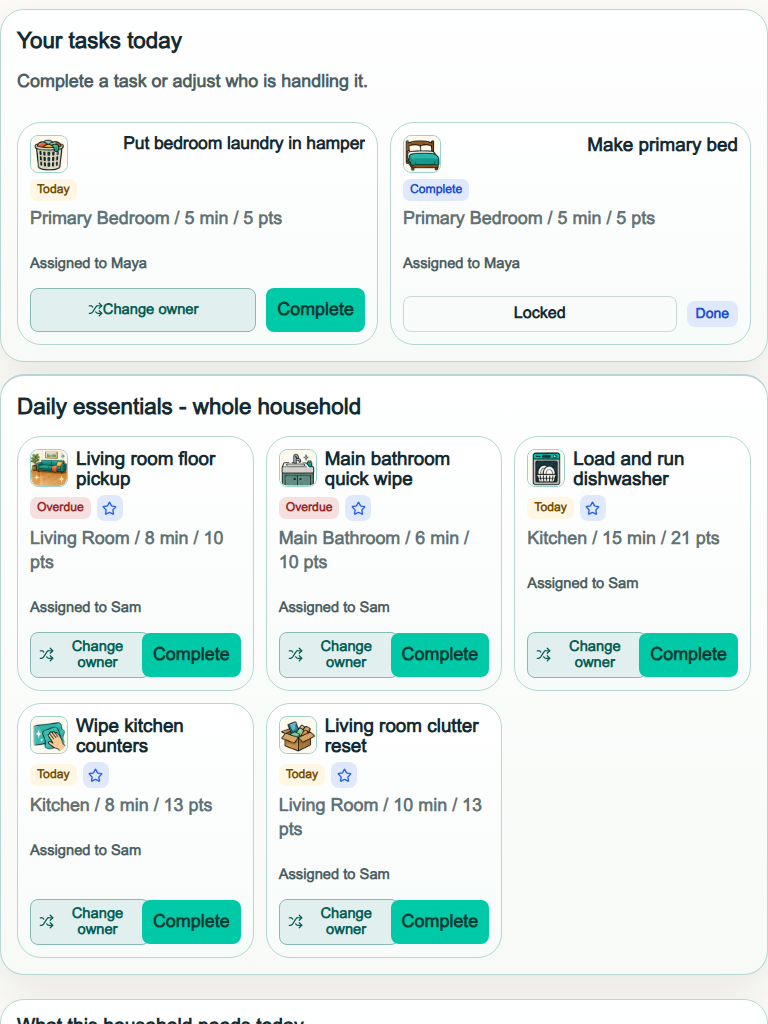
Today

Ownership becomes visible

Today shows each person only what belongs to them, while shared work stays clearly marked.

Reports

The week becomes readable

Reports show whether the work feels balanced and what may need attention next.

Rooms organize choresRoutines keep work movingKids see the right workToday shows ownershipReports show balance

Useful chores for the first week

Every day

Quick reset

A short shared reset with clear ownership, with shared work clearly marked for everyone.

See in demo
Daily + as needed

Dishes lane

Sink, dishwasher, and counter tasks split into visible steps instead of one vague chore.

See in demo
Week one

Laundry rhythm

Own laundry and shared laundry stay separate so personal tasks do not leak into someone else's Today.

See in demo

After setup, start with Today.

Today gives the household one clear place to see personal chores, shared work, and what needs an owner.

For the first week, confirm rooms, pick one routine, make ownership visible, then review the balance together.

Open Today
Rooms confirmedRoutine pickedAssignments visibleWeekly review ready

Land on Today

See today's personal and shared chores together, with ownership already visible.

Open Today

Confirm rooms

Review the room list before adding recurring chores to each space.

Review rooms

Start routines

Start one repeatable morning, reset, or bedtime routine.

Open routines

Add chores

Add a few chores and choose who owns them.

Add chores
Start 14-day free trialReview pricing
HomePreviewPricingBlogLog in
Privacy PolicyTerms of ServiceRefund / Billing PolicyContact

© HousIQ. Operated by Dravara LLC.

support@housiqhq.com